

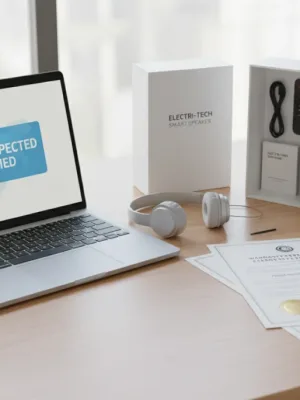
Shopping for tech often leads to a familiar crossroads: you want a modern laptop, phone, or television, but you would prefer not to pay full retail price. Two discount categories dominate major online stores and retail shelves: refurbished gear and open-box items. Both offer discounts ranging from 15% to 50% off standard sticker prices, but they represent entirely different product conditions and risk profiles.
Advertisements
Understanding the distinction between refurbished vs open box electronics helps you avoid buyer remorse, hidden hardware defects, and frustrating return windows. While one category typically involves rigorous multi-point factory inspections and fresh replacement parts, the other might simply mean a customer opened the packaging and immediately returned it to the store shelf.
This guide explains how both options work, breaks down retailer warranty policies across major U.S. sellers, and provides a clear framework to help you choose the best route for your next tech purchase.
What Open-Box Electronics Actually Mean
An open-box product is an item that was purchased, unsealed, and returned to a store or warehouse without necessarily having any hardware defect. In many cases, the buyer experienced simple buyer remorse, bought the wrong color or size, or realized the device did not meet their performance needs.
When an item is returned, store associates verify that the contents are present and that the product powers on. Depending on the retailer, open-box items are classified into specific condition tiers:
- Excellent or Like New: The device shows zero cosmetic blemishes, includes all original cables, manuals, and accessories, and often still has protective plastic films attached.
- Satisfactory or Good: The hardware operates perfectly, but minor cosmetic scratches or scuffs may be present on the casing. Generic packaging or non-original cables may be included.
- Fair: The unit shows noticeable signs of use, scratches on screens or chassis, and may lack non-essential accessories like secondary cables or original documentation.
The primary advantage of open-box inventory is that you are often purchasing a practically brand-new product that has been used for only a few hours or days. The manufacturer's original warranty is frequently intact from the original purchase date, and standard store return policies apply.
What Refurbished Electronics Actually Mean
A refurbished product has undergone a formal inspection, repair, cleaning, and repackaging process before being re-listed for sale. These devices arrive from several channels, including lease returns, warranty replacements, trade-in programs, or units with minor component failures that were repaired by certified technicians.
Refurbishment generally falls into two distinct categories:
- Factory Certified Refurbished (Direct from Manufacturer): Companies like Apple, Dell, and Sony inspect every unit, replace worn parts such as batteries and outer shells with genuine OEM components, update firmware, and repackage the item with original accessories and a full one-year warranty.
- Third-Party Refurbished (Seller Refurbished): Third-party vendors or retail marketplaces test and clean the unit using their own internal standards. Replacement parts may be generic rather than original equipment, and warranty coverage is backed by the seller rather than the original manufacturer.
Because refurbished electronics undergo direct diagnostic testing to verify component health, they frequently offer higher functional reliability than used goods that never saw a technician bench.
Refurbished vs Open Box: Direct Feature Comparison
To help you weigh the structural trade-offs between these two discount options, review the core factors that separate them:
| Feature | Open-Box Electronics | Certified Refurbished Electronics |
|---|---|---|
| Prior Usage | Minimal (days to weeks of light consumer use) | Varies (can range from brief use to 2–3 years of lease use) |
| Testing Level | Basic power-on and cosmetic check by store staff | Full diagnostic bench testing and component-level repairs |
| Battery Condition | Original battery, minimal cycle degradation | Tested battery (often replaced with a fresh unit on factory tiers) |
| Typical Warranty | Remainder of original manufacturer warranty or 30–90 days | 90 days to 1 year backed by manufacturer or seller |
| Cosmetic Quality | Tiered (often pristine on higher grades) | Graded (A/B/C) with minor to no cosmetic marks |
| Average Discount | 10% to 30% off retail | 15% to 50% off retail |
Evaluating Warranties and Return Policies
Warranty coverage is the single most important factor when buying non-sealed hardware. A generous discount loses its value if a motherboard fails four months after purchase with zero coverage.
Major U.S. retailers handle these policies differently:
- Best Buy: Open-box items retain standard return windows (15 days for standard customers, extended for membership tiers) and typically carry the remainder of the original manufacturer warranty. Best Buy Outlet refurbished products carry specific 90-day to 1-year coverage.
- Apple Certified Refurbished: Apple provides a full one-year standard warranty identical to brand-new units, a fresh outer shell, a new battery on mobile devices, and the option to add AppleCare protection plans.
- Amazon Renewed: Amazon separates listings into standard Renewed (90-day guarantee) and Renewed Premium (1-year guarantee with verified 80%+ battery health and like-new appearance).
- Target and Walmart: Open-box items are less common online but frequently found in-store with standard 30-day return windows; refurbished units are primarily managed by third-party marketplace sellers.
How to Inspect Your Purchase Upon Arrival
Whether you buy open-box or refurbished, test the hardware immediately upon delivery while your return window is fully active. Follow this step-by-step verification checklist:
- Examine the Physical Casing: Inspect ports, hinge tension, display glass, and screw fittings for signs of unauthorized tampering or physical impact drops.
- Check the Display Panel: Run a full-screen solid-color test (white, black, red, green, blue) to identify dead pixels, backlight bleeding, or uneven color uniformity.
- Verify Battery Health: On laptops and smartphones, check cycle count and total capacity in the operating system diagnostic settings (e.g., Battery Health in iOS, macOS System Report, or Windows Battery Report via command prompt).
- Test Every Interface: Plug accessories into every USB port, HDMI jack, and audio port. Test Wi-Fi range, Bluetooth pairing, microphones, webcams, and built-in speakers.
- Confirm Serial Numbers and Activation: Verify that the serial number on the chassis matches the software settings and the receipt. Ensure devices are logged out of previous owner iCloud, Google, or corporate MDM accounts.
Smart Buying Rules for Your Next Purchase
Deciding between refurbished vs open box comes down to the device category and who is backing the sale. When you want the latest generation product that hit shelves just months ago, open-box items from major retailers provide close-to-new condition with minimal wear at an immediate 15% to 25% discount.
For expensive workstations, professional laptops, and previous-generation flagship smartphones, certified manufacturer refurbished programs are generally the smarter buy. You gain deep component testing, new batteries, fresh housings, and legitimate one-year warranties that mirror new retail packages. Always confirm the return window before paying, inspect the hardware immediately, and verify that the seller provides direct support.