

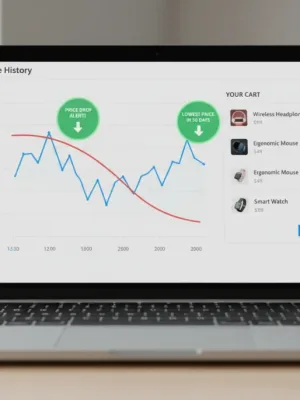
Online retail pricing is rarely static. Major U.S. retailers like Amazon, Walmart, Target, and Best Buy adjust their prices millions of times every day. Algorithms alter product costs based on inventory levels, competitor moves, local demand, and browsing patterns. A pair of noise-canceling headphones might cost $299 on Tuesday morning, jump to $349 by Thursday afternoon, and drop to $279 late Sunday night.
Advertisements
This dynamic pricing structure makes it difficult to know whether a displayed discount represents genuine savings or a routine fluctuation. Relying on reliable price tracking tools gives you the data needed to evaluate discounts objectively, spot manufactured price drops, and make purchases only when prices hit genuine historical lows.
How Modern Price Tracking Tools Work
Price trackers monitor retail product pages at regular intervals, recording list prices, third-party marketplace offers, and promotional coupons. By archiving these data points over months and years, these services build comprehensive price history graphs that reveal the true cost baseline for almost any item.
Most trackers operate through two primary interfaces:
- Web-based trackers: You paste a product URL into a search field to view historic pricing data and set email alerts without installing software on your computer.
- Browser extensions: These inject historical charts directly onto product pages as you browse, allowing you to see past price movements without leaving the store.
Beyond passive tracking, many utilities offer customizable notifications. You can specify a target price or a percentage drop, and the service alerts you via email, SMS, or browser push notifications the moment the retailer lowers the price.
Popular Price Tracking Tools and What They Do Best
Different utilities specialize in distinct stores and tracking mechanisms. Selecting the right option depends on where you shop most often and whether you prefer passive alerts or active browsing tools.
Keepa (Amazon)
Keepa is one of the most detailed trackers available for Amazon. It overlays comprehensive interactive charts directly onto Amazon product listings. Keepa tracks new prices directly from Amazon, third-party merchants (both fulfilled by merchant and fulfilled by Amazon), used items, and international Amazon domains.
Its primary strength is depth: you can isolate warehouse deals, factor in lightning deals, and inspect sales rank history to determine if a product is actually popular or merely priced artificially high.
Camelcamelcamel (Amazon)
Camelcamelcamel focuses exclusively on Amazon and offers a clean, straightforward interface. If you prefer not to install browser add-ons, you can search products directly on their website or add their bookmarklet to your browser toolbar. It tracks three price tiers: Amazon direct, third-party new, and third-party used. You set a threshold, provide your email, and receive a message when the price reaches your target.
PayPal Honey (Multi-Retailer)
Honey combines price tracking with coupon code testing. Its Droplist feature lets you monitor items across hundreds of major U.S. storefronts, including Target, Walmart, Home Depot, and Macy's. You choose a tracking duration—typically 30, 60, or 90 days—and select the discount threshold required to trigger an alert.
Google Shopping Price Insights
Google integrates price history directly into Google Search and the Chrome browser. When you search for a specific product or view a retail page in Chrome, Google displays whether the current price is typical, high, or low compared to historical averages across the web. You can toggle a track price switch to receive updates through your Google account.
Comparing Key Features Across Tracking Options
Each tracking platform offers different trade-offs regarding retailer support, privacy footprint, and analytical depth.
| Tool | Supported Retailers | Primary Format | Best Use Case |
|---|---|---|---|
| Keepa | Amazon (Global) | Browser extension, Web | Deep technical data and marketplace breakdown |
| Camelcamelcamel | Amazon (US & select regions) | Web, Bookmarklet | Simple, lightweight price drop alerts |
| PayPal Honey | Major multi-store retail sites | Browser extension, Mobile app | Broad retail coverage with coupon integration |
| Google Price Insights | Aggregated web merchants | Built into Google Search / Chrome | Quick cross-store price comparisons |
How to Read a Price History Chart
Having access to data is only useful if you know how to interpret it. Retailers often use predictable patterns to make average prices look like exceptional deals.
- Watch for pre-holiday price spikes: A common retail practice involves raising an item to its full manufacturer suggested retail price (MSRP) for several weeks before a major promotional event. When the price drops back to its standard selling level, the retailer labels it as a steep percentage discount. Historical graphs expose these artificial spikes instantly.
- Identify seasonal price floors: Electronics, appliances, and outdoor gear often follow cyclical patterns. Looking at an 18-month chart helps you identify whether an item reliably drops in price during specific quarters or model transition cycles.
- Check third-party pricing stability: On marketplace platforms, third-party sellers often raise prices when official inventory runs out. A high price point on a chart often indicates an out-of-stock item rather than an actual increase in value.
Privacy and Technical Considerations
While browser extensions offer seamless integration, they require permissions to read and alter data on retail websites you visit. Most commercial shopping extensions sustain their businesses through affiliate commissions, tracking your purchase journeys to collect referral fees from merchants.
If you prefer to keep your browser lightweight and limit background data sharing, web-based trackers and native search tools provide a practical alternative. You can paste URLs manually or use disposable accounts for email alerts without giving extensions access to all active browser tabs.
Setting Up a Practical Buying Strategy
Effective price tracking requires a deliberate setup rather than impulsive checking. Start by cataloging non-urgent purchases—such as kitchen appliances, tools, or tech upgrades—into a watchlist rather than buying on first impulse.
Set alert thresholds slightly below the rolling average rather than aiming exclusively for record-low anomalies that may not recur. By letting automated price tracking tools monitor the market for you, you remove emotional urgency from your shopping routine and ensure you only pay when pricing aligns with genuine market value.