

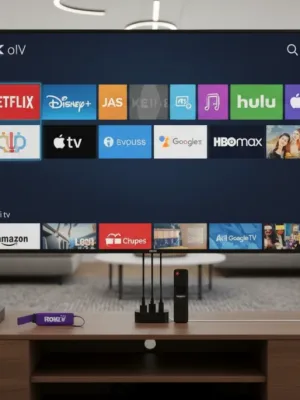
Most modern televisions ship with built-in smart platforms, but integrated TV software frequently slows down after a couple of years, misses crucial firmware updates, or clutters your home screen with unwanted sponsor banners. Upgrading to one of the best streaming devices gives your television a faster processor, a more refined remote control, broader audio-video codec support, and a cleaner user interface.
Advertisements
Today, four major ecosystems dominate the streaming hardware landscape: Roku OS, Amazon Fire TV, Apple tvOS, and Google TV. While all four platforms support major subscription services like Netflix, Prime Video, Disney+, Max, Hulu, and YouTube TV, their everyday user experiences differ dramatically.
Whether you want an ad-free interface, deep integration with your smart home gadgets, or an inexpensive 4K stick for a guest bedroom, this comparison breaks down the strengths, compromises, and exact features of each platform.
Quick Comparison: Platform Overview
Before examining each operating system in detail, here is how the four major platforms stack up across price, hardware options, and ecosystem compatibility:
| Platform | Price Range (MSRP) | Top Pick Hardware | Best Ecosystem Fit | Ad Density |
|---|---|---|---|---|
| Roku | $30 – $100 | Streaming Stick 4K / Ultra | Neutral (Works with all) | Moderate (Side banner ads) |
| Amazon Fire TV | $30 – $140 | Fire TV Stick 4K Max / Cube | Amazon Alexa / Echo | High (Heavy Amazon promotion) |
| Apple TV (tvOS) | $129 – $149 | Apple TV 4K (Wi-Fi or Ethernet) | Apple Home / iOS | None (Zero third-party ads) |
| Google TV | $30 – $100 | Chromecast / Google TV Streamer | Google Home / Android | Moderate (Personalized content) |
Roku: The Neutral, App-First Experience
Roku remains a favorite for viewers who want a straightforward, grid-based menu without algorithmic clutter. Unlike Amazon or Google, Roku does not run a competing subscription video store of the same scale, making the platform relatively neutral in how it surfaces content.
Key Strengths
- Simple Grid Interface: Your installed apps appear as large square tiles in the exact order you place them. You see what you want to watch without wading through rows of recommended shows.
- Universal Search: Roku's search tool queries across dozens of services and lists results strictly by price, showing free options first.
- Platform Agnostic: Roku hardware supports Apple AirPlay 2, Apple HomeKit, Google Assistant, and Amazon Alexa.
- Roku Ultra Features: The flagship Roku Ultra includes a dedicated Ethernet port, USB media playback, and a remote with a lost-remote finder alarm and rechargeable battery.
Drawbacks
Roku's interface looks dated compared to its rivals. In recent years, Roku has also added static display ads on the right third of the home screen and sponsored rows in the channel guide. Advanced home theater enthusiasts may find Roku's audio passthrough options more limited than Apple TV or Fire TV Cube.
Amazon Fire TV: Alexa Integration and Content Discovery
Amazon Fire TV devices, ranging from the budget Fire TV Stick Lite to the powerful Fire TV Cube, focus heavily on voice navigation and content recommendations from Prime Video, Freevee, and supported live channels.
Key Strengths
- Exceptional Alexa Voice Control: Holding the voice button allows you to launch apps, jump straight to specific episodes, rewind 30 seconds, or check connected security cameras with near-instant accuracy.
- Value for Performance: The Fire TV Stick 4K Max delivers Wi-Fi 6E connectivity, Dolby Vision, HDR10+, and Dolby Atmos decoding at a price point frequently discounted during major sales events.
- Fire TV Cube Power: The Cube includes hands-free far-field microphones, HDMI input for cable boxes or game consoles, and an octa-core processor that handles 4K upscaling.
Drawbacks
The Fire TV user interface is the most ad-heavy among the four platforms. Autoplaying full-screen video banners sit at the top of the home screen, and Prime Video rentals are prioritized over subscriptions you already pay for elsewhere. If you prefer a tidy menu, Fire TV can feel overwhelming.
Apple TV 4K: Premium Power and Privacy
The Apple TV 4K sits at the high end of the market, costing more than double the price of standard streaming dongles. In return, it delivers class-leading processing speed, a pristine ad-free interface, and tight integration with the Apple hardware ecosystem.
Key Strengths
- Unrivaled Performance: Powered by Apple's A-series bionic processors, tvOS opens apps instantly, supports smooth frame-rate switching, and navigates complex interfaces with zero stutter.
- Clean, Ad-Free UI: The home screen displays your custom app icons with dynamic top-shelf previews. There are no sponsored third-party banners or forced pop-ups.
- Ecosystem Perks: Spatial Audio with AirPods allows private late-night listening with dynamic head tracking. You can also use an iPhone for automatic color calibration using the phone's front sensor.
- Home Hub Functionality: The 128GB Ethernet model acts as a full Matter controller and Thread border router for smart home setups.
Drawbacks
The starting price ($129 for 64GB Wi-Fi) is the main barrier. Furthermore, users outside the Apple ecosystem miss out on key conveniences like AirPlay, Apple Fitness+, and iPhone-assisted remote typing.
Google TV: Smart Recommendations and Android Versatility
Google TV transforms traditional Android TV into a unified discovery engine. Instead of forcing you to open separate apps, Google TV pulls rows of continuing series, watchlist items, and algorithmically suggested movies across all your linked streaming services directly onto the main tab.
Key Strengths
- Unified Watchlist: You can add titles to your Google Watchlist directly from your mobile Google search results, and they appear automatically on your TV home screen.
- Multiple User Profiles: Google TV allows separate profiles for every family member, ensuring personalized recommendations and kid-safe parental controls.
- Native Google Cast: Beam videos, browser tabs, or photos from any Android phone, iPhone, or Chrome browser effortlessly.
- Sideloading Apps: Advanced users can install third-party Android APKs for media players like Kodi, VLC, or custom retro gaming emulators.
Drawbacks
Lower-tier Google TV sticks can exhibit slight menu lag after heavy use due to limited onboard RAM and storage. Keeping available internal storage above 1GB is essential for smooth app updates.
Which Streaming Platform Should You Choose?
Selecting among the best streaming devices depends on your existing home hardware, technical preferences, and tolerance for interface advertising:
- Pick Roku if you want an inexpensive, neutral interface that treats every streaming service equally, or if you are setting up a television for non-technical family members.
- Pick Amazon Fire TV if your home relies on Alexa smart speakers, Ring doorbells, and you frequently watch Prime Video or live TV services.
- Pick Apple TV 4K if you already use an iPhone, value speed and longevity, and want a premium living room experience completely free of home screen advertisements.
- Pick Google TV if you want personalized show suggestions in one place, use Google Assistant, or want the flexibility of Android app sideloading.
Before purchasing, check your TV's available HDMI ports and Wi-Fi speed. If you plan to stream 4K HDR content, ensure your selected device supports the HDR formats your TV panel uses (such as Dolby Vision or HDR10+) to get the most out of your setup.