

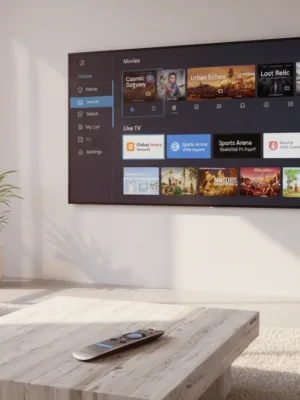
Subscription prices for major entertainment platforms continue to climb, with many premium ad-free tiers now exceeding $15 to $20 per month. If you maintain multiple paid subscriptions, your annual entertainment spending can easily rival an old-fashioned cable bill. However, you do not need to pay recurring monthly fees to access high-quality movies, classic television series, and live news.
Advertisements
Legal free streaming services have expanded significantly over the past few years. Supported primarily by advertising or public institutional funding, these platforms offer extensive catalogs across smart TVs, streaming devices, tablets, and web browsers. While you trade uninterrupted viewing for commercial breaks, the quality and depth of these free libraries make them practical alternatives to paid platforms.
Understanding the Free Streaming Landscape
Most no-cost platforms operate under the Free Ad-Supported Streaming TV (FAST) or Advertising-Based Video on Demand (AVOD) model. Instead of charging a monthly subscription, platforms insert short commercial breaks into content, similar to traditional broadcast television. Typically, ad loads on these services range from four to eight minutes per hour, which is noticeably lighter than standard linear cable networks that often run 12 to 16 minutes of ads per hour.
There are also institutional platforms funded through public library systems and educational networks. These services do not carry ads at all and only require an active library card from a participating institution. Understanding how these platforms differ helps you choose the right app for your viewing preferences.
Tubi: The Deepest On-Demand Catalog
Owned by Fox Corporation, Tubi has developed one of the largest on-demand streaming libraries available. Its catalog contains tens of thousands of movies and television episodes ranging from major studio releases and nostalgic 1990s comedies to indie cinema, foreign films, and cult horror classics.
Tubi does not require an account to watch, though creating a free profile lets you save a personal watchlist and sync your viewing progress across multiple devices. The interface is clean, search functionality is responsive, and ad pods are generally short—often between 30 and 90 seconds per break.
- Best for: Viewers looking for specific movie titles, cult classics, and broad genre variety.
- Account required: Optional.
- Platforms supported: Roku, Amazon Fire TV, Apple TV, Google TV, iOS, Android, web browsers, and major smart TV brands.
Pluto TV: The Linear Channel Experience
Pluto TV, operated by Paramount Global, focuses heavily on the traditional channel-surfing experience. Instead of forcing you to scroll endlessly through on-demand menus, Pluto TV presents a digital program guide with hundreds of live, thematic channels streaming 24 hours a day.
Channels are curated around specific genres, franchises, and network brands. You will find single-series channels running uninterrupted marathons of shows like Star Trek, CSI, and The Price Is Right, alongside dedicated channels for news networks such as CBS News, CNN, and Bloomberg. Pluto TV also includes an on-demand section, though its primary appeal remains the effortless lean-back viewing format.
- Best for: Background viewing, live news, and channel-surfing without decision fatigue.
- Account required: Optional.
- Key features: Grid-style channel guide and dedicated single-show channels.
The Roku Channel: Premium Content and Live Networks
The Roku Channel is accessible directly on Roku devices, Samsung smart TVs, Amazon Fire TV devices, and via the web. The platform provides a balanced mix of live streaming channels and on-demand movies, alongside an expanding roster of exclusive original programming.
Because Roku partners directly with major studios and networks, its library frequently rotates licensed theatrical movies that were on paid platforms only months prior. The app also serves as a central hub where users can browse free content alongside optional premium subscription add-ons, keeping all viewing inside a single menu.
- Best for: Users seeking polished movie selections and Roku Original series.
- Account required: Roku account required on hardware devices; optional on the web.
Library-Backed Alternatives: Kanopy and Hoopla
If you prefer an ad-free experience, public libraries offer powerful digital streaming options. The two most prominent services are Kanopy and Hoopla. Both platforms are completely free to use, supported by local municipal library budgets.
Kanopy focuses on prestige films, documentaries, Criterion Collection releases, independent cinema, and educational content from The Great Courses. Hoopla offers a wider mix of popular movies, television series, audiobooks, and graphic novels. Both services operate on a monthly ticketing or checkout system, meaning your local library sets a limit on how many titles you can stream each month (commonly between 4 and 10 checkouts).
| Platform | Format | Ad Load | Account Requirement |
|---|---|---|---|
| Tubi | Primarily On-Demand | 4–8 mins/hour | Optional |
| Pluto TV | Live Channels & On-Demand | 6–10 mins/hour | Optional |
| The Roku Channel | Live Channels & On-Demand | 4–8 mins/hour | Roku Account |
| Kanopy | On-Demand | None (Ad-Free) | Library Card |
| Hoopla | On-Demand | None (Ad-Free) | Library Card |
Maximizing Your Free Streaming Setup
Adopting free platforms does not mean sacrificing convenience. You can organize your streaming hardware home screen by grouping these apps together, allowing you to check free catalogs before renting a movie on an on-demand storefront.
Aggregate search tools, such as the universal search feature built into Apple TV, Google TV, and Roku, can search across both paid and free streaming services simultaneously. When searching for a specific movie or series, check the results carefully; titles are often available on platforms like Tubi or Pluto TV at no cost while listed for a rental fee elsewhere.