

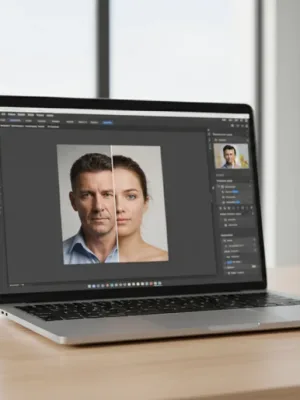
Automated enhancement tools have shifted from niche desktop plugins to everyday mobile software. Whether you want to remove an unwanted bystander from a vacation snapshot or produce clean product photos for an online storefront, AI photo editing apps promise professional results with a single tap. Many major platforms, from Google Photos to Adobe Lightroom and Canva, now treat machine-learning features as standard capabilities.
Advertisements
These tools can save considerable time, but they are not infallible. Machine learning algorithms rely on predictive models to fill in missing details, adjust lighting, and isolate subjects. While this works well for routine corrections, automated tools can also introduce visual artifacts, flatten natural textures, or produce unrealistic proportions. Understanding their realistic capabilities helps you decide when to rely on automation and when to handle edits manually.
What AI Photo Editing Apps Do Exceptionally Well
Modern machine learning models excel at repetitive, pixel-heavy tasks that previously required tedious manual masking. Here are the areas where automated tools deliver the strongest results:
- Object and distraction removal: Tools such as Google Magic Eraser, Apple Clean Up, and Adobe Generative Fill identify unwanted background elements and reconstruct the obscured background by sampling surrounding pixels. For simple backgrounds like grass, open sky, or clean walls, the process takes seconds and leaves virtually no trace.
- Instant background extraction: Dedicated apps like Photoroom and standard mobile photo apps can instantly separate foreground subjects from complex backgrounds. This is particularly useful for small businesses creating product catalogs on white backgrounds.
- Low-light denoising and detail recovery: Algorithms trained on vast image datasets can distinguish between random digital sensor noise and genuine structural lines. This allows apps to sharpen grainy nighttime photos without destroying underlying contrast.
- Resolution upscaling: Rather than simply stretching pixels, AI upscalers predict and generate plausible edge details, making older low-resolution images usable for larger digital displays or small prints.
Where Automated Editing Tools Fall Short
Despite significant technical progress, automated photo tools operate on statistical probability rather than visual intent. When an image contains complex textures or requires subtle artistic judgment, the limitations become apparent.
1. Handling Fine Textures and Complex Edges
While automated subject selection works reliably on solid edges, it frequently struggles with fine details. Individual strands of flyaway hair, translucent clothing, animal fur, and wire fences often get blurred, clipped, or smudged into the background. In commercial photography, these rough cutouts still require manual brush corrections in software like Photoshop.
2. Over-Smoothing Skin and Facial Features
Portrait enhancement remains one of the most popular uses for mobile editing apps, but it is also where algorithms frequently overstep. Automated portrait filters tend to remove natural skin pores, freckles, and micro-shadows along with blemishes. The end result can look plastic or unnaturally airbrushed, stripping away the authentic character of the subject.
3. Hallucinating Inaccurate Details
When using generative fill or upscaling tools, the software does not actually know what was behind an obscured area. It invents content based on training data. This can lead to distorted hands, nonsensical background text, warped architectural lines, or synthetic-looking foliage that appears out of place upon close inspection.
Feature Comparison Across Popular Platforms
Different tools focus on distinct use cases. Below is an overview of how leading consumer and professional options balance automation with manual control:
| Platform | Best For | Primary AI Strengths | Typical Cost |
|---|---|---|---|
| Google Photos | Everyday snapshots | Magic Eraser, unblur, lighting adjustment | Free tier; Google One from $1.99/mo |
| Adobe Lightroom | Photographers and enthusiasts | AI masking, adaptive presets, lens blur | $9.99 to $19.99/mo |
| Photoroom | E-commerce product images | Batch cutout, synthetic studio backgrounds | Free basic; Pro ~$9.99 to $14.99/mo |
| Canva | Marketing and social media | Magic Edit, background generator, quick eraser | Free basic; Pro ~$12.99/mo |
Note: Pricing and plan tiers reflect standard market rates at the time of writing and may vary based on promotional offers or billing frequency.
Privacy and Data Ownership Considerations
When you edit photos using cloud-based algorithms, your images are typically uploaded to third-party remote servers for processing. It is worth reviewing the service terms for any app you install, particularly free utilities from lesser-known developers. Verify whether the provider retains the rights to use your uploaded imagery to train future machine learning models or shares diagnostic metadata with advertising networks. Whenever possible, prioritize applications that support on-device processing for sensitive personal photos.
How to Get the Most from AI Photo Editing Apps
To achieve clean, natural results without obvious digital artifacts, use AI photo editing apps as an initial drafting step rather than a complete replacement for manual adjustment. Apply automated background removal and basic exposure balances first, then zoom in to check hands, hair, and fine edge borders at full resolution. Lowering filter opacity by 20 to 30 percent usually restores natural skin texture while preserving the benefits of the correction.